If a message from Discord does not appear, first make sure you are checking the inbox linked to the right account. Then review mailbox folders and filters and request the email again through Discord's official interface. A missing message alone does not prove the account is suspended or the address is unregistered.
Identify the message you are waiting for
An email verifying a new address, a check for a new-device login and a password reset are different processes. Their buttons, expiry and next steps may differ. Read the action Discord asks for and use the corresponding help guidance.
The “Email does not exist” message at login is a separate error: Discord says it means the entered address is not associated with an account. It is not the same as a delayed message in an existing inbox.
Check the address and inbox access
If you still have a Discord session, open the appropriate account's settings and inspect the complete linked address. Check its spelling, domain and the inbox you are searching. When using several accounts, ensure the request belongs to the intended profile.
Open the mailbox itself and check whether new messages arrive, whether storage is full, and whether forwarding rules or filters apply. Search for Discord and inspect Spam, Promotions, All Mail and Trash where available. If you use IMAP, check the selected mailbox and synchronization; our Discord email guide covers access methods separately.
A verified address and current mailbox access are different. If the inbox cannot be opened, start with the email provider's recovery process; do not give passwords or codes to third parties.
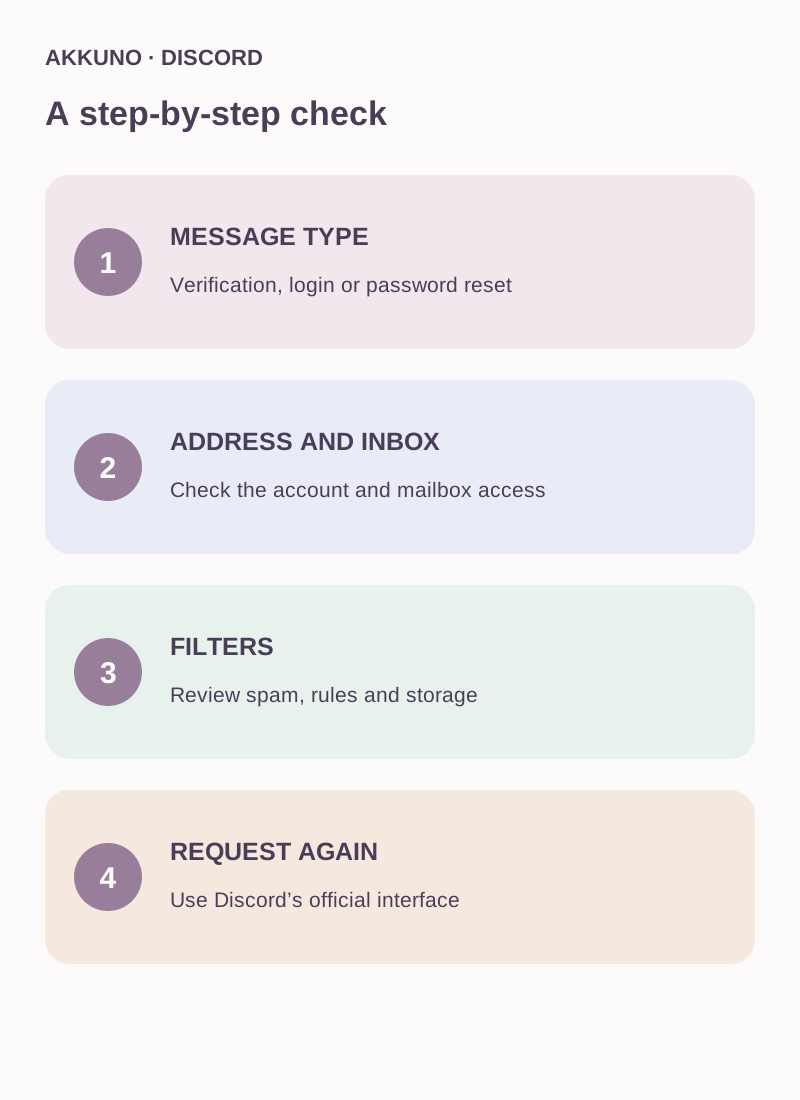
Request the verification email again
- Open user settings and the account section in the official Discord app or website.
- For desktop and browser, Discord's guide describes the Resend Verification Email banner under My Account. For mobile it describes Account and the Verify banner. Labels and availability can vary by app version and account state.
- Request the email and check the linked inbox. If several messages arrive, follow the current instructions in the message and app: an earlier link may have expired.
- If no message arrives, review mailbox filters and allowlisted senders against Discord's current help page. Where possible, try the request from another device, as Discord recommends.
Do not follow suspicious links from emails you did not request. Start from Discord's official app or a site you open yourself, and do not enter your mailbox password on an unfamiliar page.
If the message still does not arrive
| What you see | What to check next |
|---|---|
| The email was in spam | Filtering rules and the mailbox receiving new messages |
| The mailbox cannot be opened | Recovery with the email provider |
| Discord shows a different address | The correct account and its current linked address |
| No resend option is visible | The email type, account state and current Discord help |
| Nothing arrives after checking | A Discord Support request with the exact issue |
Discord says its Support team cannot manually send verification emails, although you can contact it if the described steps fail. Do not promise a specific delivery time or guaranteed outcome.
If the question concerns a listing, review the Discord catalog or ask AKKUNO support without sending passwords, one-time codes or email contents. Discord's Community Guidelines prohibit buying and selling accounts, and its Terms restrict transfers; consider those rules separately from mailbox troubleshooting.
Frequently asked questions
Does a missing email mean the address is unregistered? No. Check the exact message and address: delayed delivery and “email does not exist” are different situations.
Can Discord Support send the verification manually? Discord says its Support team cannot manually send these messages; use the resend option available in the interface.
What if I cannot access the mailbox? Recover it with the email provider and review Discord's official instructions for your particular situation.
Should I send a code to a server administrator? No. Do not post codes or share them with third parties.
Sources and verification
- Discord. Resending Verification Email. Reviewed 16 November 2026.
- Discord. Login & Email Troubleshooting Guide. Reviewed 16 November 2026.
- Discord. Community Guidelines and Terms of Service. Reviewed 16 November 2026.
