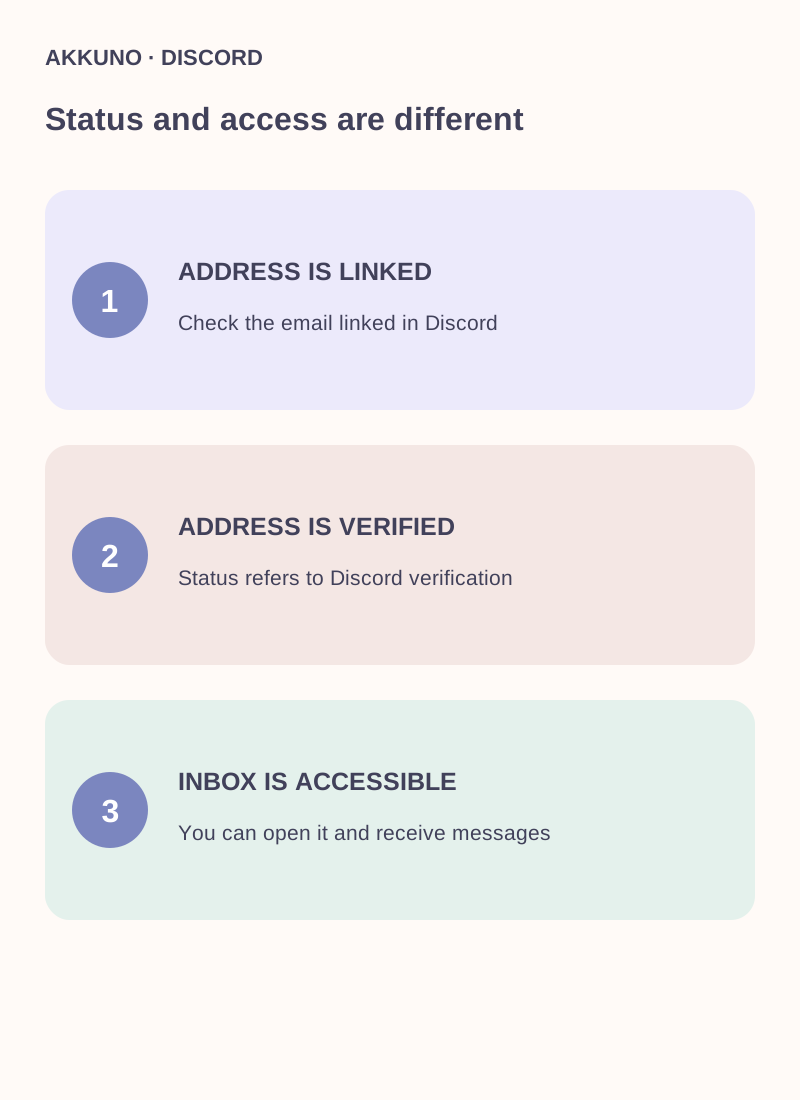
A verified email means the address has passed Discord's verification. Mailbox access means you can currently open that inbox and receive new messages. They are different: an address verified in the past may now be inaccessible, for example if you forgot the mailbox password or lost its recovery method.
When reviewing an account, check both the address and your ability to use its inbox. An open Discord session does not always replace mailbox access when you change details or complete an additional login check.
What a verified address means
When Discord asks you to verify an address, it sends an email and the user completes the verification process described there. Discord can then treat that address as verified. The status belongs to the address on the account; it does not show whether you currently know the inbox password.
Review your own account settings in Discord's official app: they show the linked address and prompts when verification is needed. Do not enter your email password or one-time codes into third-party forms or send them to other people.
Three different situations
| Situation | What it means | What to do next |
|---|---|---|
| Address is visible but unverified | Discord has the address, but its verification may be incomplete | Open your inbox and follow Discord's official verification request |
| Address is verified and inbox is accessible | Verification status and practical access both exist | Secure the inbox and review its recovery methods |
| Address is verified but inbox is inaccessible | The Discord status does not restore access to messages | Recover the mailbox with its email provider before changing Discord details |
Even if Discord is open on your computer, avoid logging out of your only working session until you have checked your available sign-in methods. A session can end, and the platform may ask for additional verification at the next login.
Why inbox access matters
Email can be used to confirm changes and secure logins. In its account security guidance, Discord describes login verification emails for verified addresses when someone signs in from a new device or location. The actual prompt depends on the situation; do not assume an email will always be required or never be required.
If someone changed your email without permission, Discord documents a separate process for reverting the change through a message to the old address, with conditions and a time limit. Review Discord's current instructions; recovery is not guaranteed in every case.
Can you change the address without the old inbox?
Discord's login troubleshooting guide says you need access to the linked inbox to change the address. If it is unavailable, start with the email provider's recovery process. Discord Support cannot simply reveal the linked address or replace it on request; outcomes depend on the official recovery options available.
If you can access the old inbox, open Discord account settings, follow the prompts to change the address and check the new inbox. Do not guess at settings or enter codes into third-party sites.
What to check with IMAP
IMAP is a way to read messages in an email client. Check IMAP access separately from whether the address is verified in Discord. Confirm that it is the linked mailbox, that new messages arrive and that you understand the access terms. The Discord password and mailbox password may differ; do not assume they are interchangeable.
For the detailed mailbox and connection steps, see our Discord email guide. Our phone verification guide separately explains why a verified phone is not the same as access to the number.
When considering an account with email
Check the attributes of the particular listing in the Discord catalog: whether the address is described as verified, whether inbox access is included and in what format. Ask AKKUNO support about the specific offer if needed, without sharing passwords, codes or mailbox contents.
Discord's Community Guidelines prohibit buying and selling accounts, and its Terms also restrict transfers. Those rules can affect access regardless of email availability or verification status.
Frequently asked questions
Does verified email guarantee access to the mailbox? No. Discord's verification status and your present ability to open the inbox are separate attributes.
Can an open session change an inaccessible email? Discord says access to the linked inbox is needed to change the address. First try recovering it with the provider.
Does IMAP mean the email is verified in Discord? No. IMAP describes a way to access the inbox; check the Discord address status separately.
Can a phone replace email in every scenario? No such guarantee exists. Available sign-in and verification methods depend on the situation and Discord's prompts.
Sources and verification
- Discord. Login and email access troubleshooting. Reviewed 16 November 2026.
- Discord. Undoing an email address change. Reviewed 16 November 2026.
- Discord. Terms of Service and Community Guidelines. Reviewed 16 November 2026.
