
Seeing the same contacts in a personal and a work Telegram account does not necessarily mean that the accounts have merged. Both profiles may have synced the same phone address book, or some entries may have been uploaded earlier from another device.
First stop unwanted syncing for the relevant profile and check its other devices. Do not rush to erase an entire address book: stopping sync and deleting data already uploaded are separate actions.
Where the same contacts can come from
Your phone has its own address book; a Telegram account has saved contact data. With permission to sync, the app can send a contact’s phone number and name from the device to the account. If two profiles sync the same address book, the same people can appear in both.
Another possibility is that the same account was signed in on a work, family or older phone where syncing was allowed. Telegram may retain previously uploaded contacts even if they are no longer in your current phone book. Matching names alone do not reveal which device supplied them and do not prove that the accounts merged.
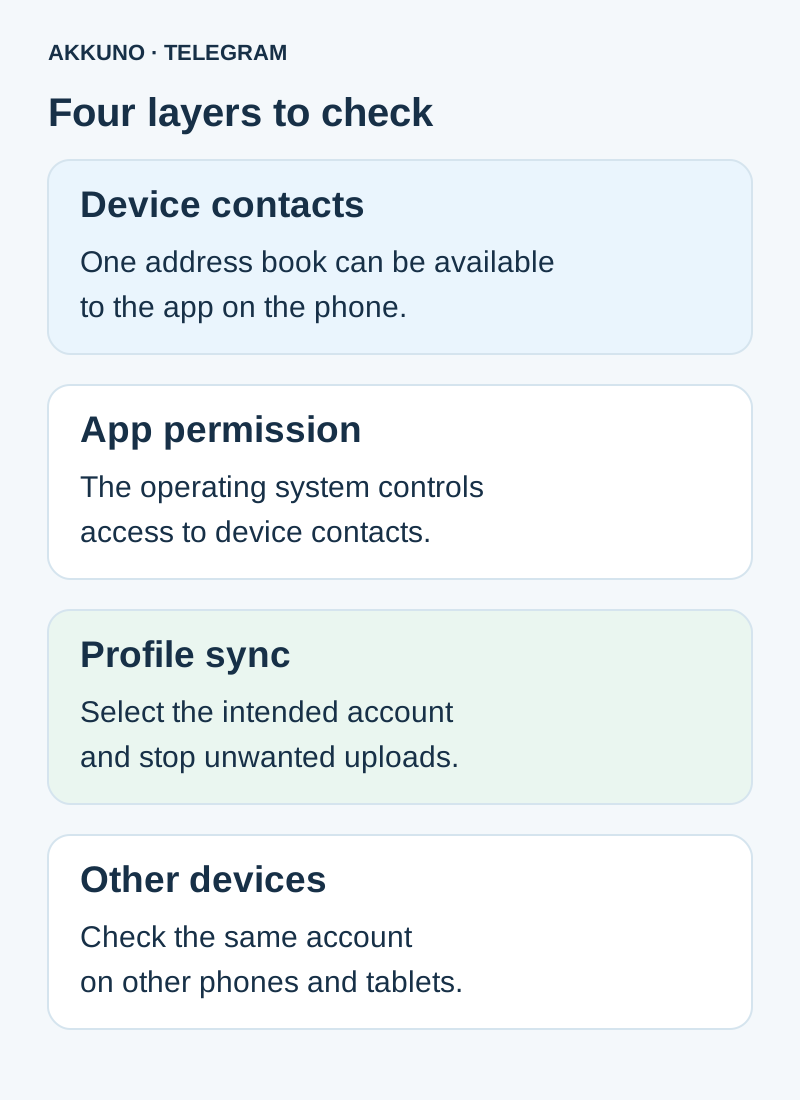
Check these layers first
| Check | Where to look | What it explains |
|---|---|---|
| Device address book | Your phone’s Contacts app | Entries currently available on the device |
| App permission | Android or iPhone settings → Telegram permissions | Whether the app can access device contacts |
| Telegram sync | Privacy settings of the selected profile | Whether contacts can be uploaded to the account |
| Other devices | Mobile devices signed in to the same account | Whether another address book may have been uploaded |
Note the profile, device model, operating system and Telegram version for your own reference. Compare a few known entries in the phone book and in each profile. Do not post contact numbers or access credentials in a public chat. If someone appears in search, check whether they are actually a saved contact: a search result and an address-book entry are not the same thing.
How to stop syncing
- Open the official Telegram mobile app and make sure you have selected the intended account. If you use several profiles, check each in turn.
- On Android, open Settings → Privacy and Security and find the contacts section. On iPhone, open Settings → Privacy and Security → Data Settings. Labels and locations can vary by language and version.
- Turn off Sync Contacts where further uploads are unwanted. Do not automatically select the adjacent deletion command.
- Check the same account on other phones and tablets where it is signed in. Do not assume that changing a setting on one device changed it everywhere.
- If needed, review Telegram’s contact permission in the operating system settings. This is an app permission on the device and may affect contact features for the app’s other profiles too.
Afterwards, compare the settings and a few entries. Switching sync off stops further syncing in the setup you checked; it does not itself promise to erase data already stored by Telegram. Displayed names can differ depending on the data available.
What deleting synced contacts does
Telegram’s mobile apps have a separate Delete Synced Contacts command. Telegram’s privacy policy describes it as deleting uploaded contact data from its servers. It is a bulk action: read the confirmation in your version and make sure you selected the right account before proceeding.
First preserve any information you need using a method you are authorized to use, and establish the consequences for your workflow. Do not delete entries from the phone or a company address book just to test this. If unsure, ask support first. When sync remains enabled, the current device address book can be uploaded again, so check settings on every device before deciding what to do with previously uploaded data.
Deleting your uploaded contacts does not remove your number from other people’s address books or recall notifications they already received. It also does not replace a review of your phone-number visibility settings.
Example: personal and work profiles
Suppose one phone book contains both colleagues and friends. You sign in to personal and work profiles and allow both to sync. Seeing the same people in both is consistent with a shared phone book; it does not mean the profiles now share their conversations.
To stop further uploads to the work profile, select it and check sync on every device used with it. Then decide separately what to do with previously uploaded data. If your workflow requires strict separation of address books, review the operating-system and device setup in advance; one switch does not guarantee complete isolation.
The terms of a particular product may restrict how it can be used. Review the listing in the Telegram catalog and ask AKKUNO support about your scenario if needed. Do not send passwords, codes or session files. For protecting access, see our Telegram security guide.
Frequently asked questions
Have the contacts in both accounts definitely merged? Not necessarily. First check the shared device address book and previous sync on other phones.
Why are contacts still visible after sync is off? The sync switch and deletion of previously uploaded data are different actions. Check the account’s other devices as well.
Can I delete just one contact? Telegram offers actions for individual contacts, but their effects and interface depend on the app and its connection to the phone book. Check the selected profile and any warning before deleting.
Will my details disappear from other people’s devices? There is no such guarantee: their address books and notifications already received are not controlled by your sync switch.
Sources and verification
- Telegram Privacy Policy. Phone numbers and contacts. Checked 7 November 2026.
- Telegram Support. Unknown contacts and Android / iOS settings. Checked 7 November 2026.
- Telegram Translations. Contact sync settings. Checked 7 November 2026.
- Telegram FAQ. Devices and account data. Checked 7 November 2026.


