

Telegram Business helps a work profile handle common questions: you can save quick replies, show opening hours and configure separate messages for a first contact and for times you are away. These tools belong to a particular account, so review personal and work profiles separately.
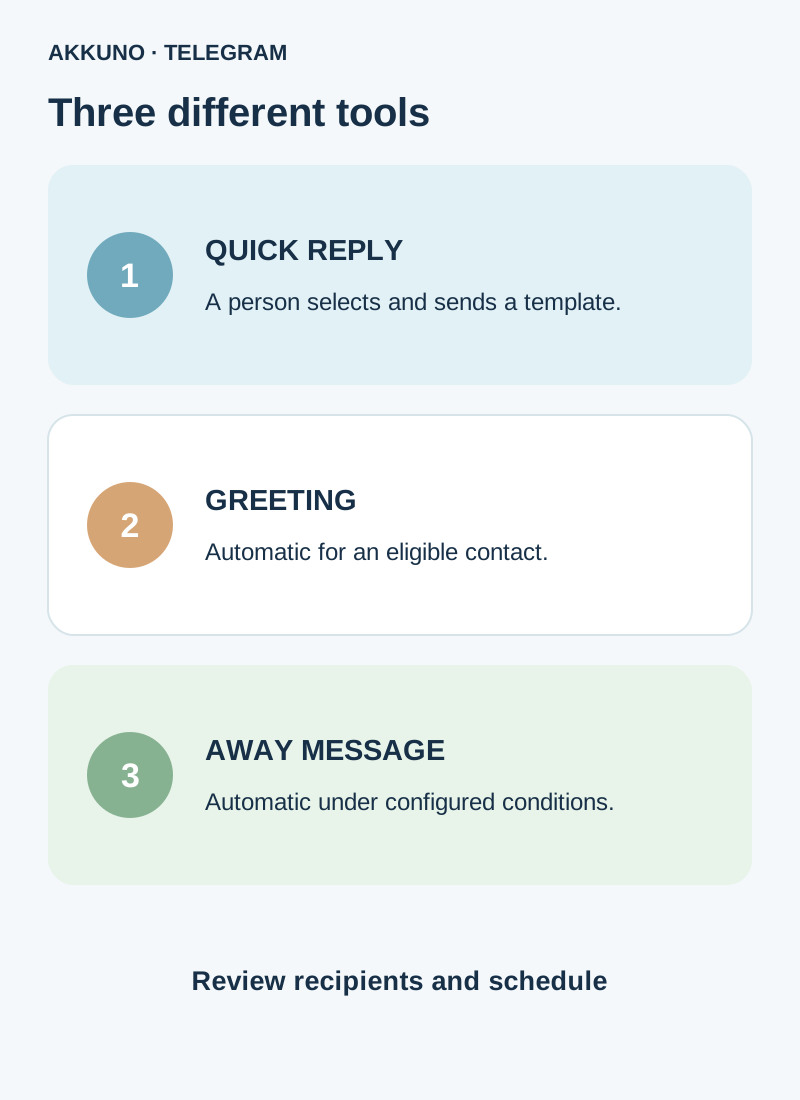
The key distinction: a person selects and sends a quick reply, while a greeting and an away message can be sent automatically under configured conditions. Check recipients, exclusions and business hours before enabling them.
What is available and where are the settings?
Telegram describes a Telegram Business section in profile settings. At the time of review, Telegram’s documentation says Business features are available to Premium subscribers; it separately says connected bots are also available to non-Premium users. Terms and features can change, and controls may differ across versions and platforms.
Premium belongs to a specific Telegram account, not every profile on one phone. If several accounts need the feature, review availability and settings for each. Our Premium and multiple accounts guide explains subscription scope. Do not assume Premium is included in an account delivery without checking its characteristics.
| Task | Tool | Check |
|---|---|---|
| Answer a common question quickly | Quick reply | The right template and recipient before sending |
| Welcome a new contact | Greeting | Recipient categories and inactivity period |
| Explain you are unavailable | Away message | Schedule, time zone and exclusions |
| Show opening times | Business hours | Workdays, breaks and time zone |
Create a quick reply
- Switch to the intended work profile and open Settings → Telegram Business → Quick Replies if the section is available in your client.
- Add a reply, choose a short name and prepare the message. Telegram supports text and, depending on the template, media or files.
- Save it. In a private chat, enter / in the message field and select the appropriate reply from the panel.
- Check the content and recipient before sending. Confirm that files, links and terms are still current.
Telegram describes the quick-reply panel for private chats, not groups. A shortcut can contain several messages, so review all of its contents. Limits and menus can change; follow your client.
The examples below are fictional; substitute your project’s actual terms:
- Order question: “Hello! Please send your order reference and question so we can check the details.”
- Information request: “Thanks for getting in touch. Tell us which option interests you and we can explain the available terms.”
- Hand-off: “We have passed your question to the responsible specialist and will reply when we have an update.”
Do not promise response times or stock you cannot verify. Do not ask for login codes, passwords or session files.
Configure a greeting
Open Greeting in Business settings, enable it and create the text. Choose recipient categories and exclusions, then review the inactivity period after which a greeting may be sent again. Field names and options depend on the version.
A greeting responds to an eligible person contacting you; it is not a message sent to every contact. It differs from the empty-chat start page: a person may see that title and sticker before sending their first message.
Fictional example: “Hello! Thanks for your message. Please describe your question and the team will respond during working hours.” If you mention a schedule, agree on it and its time zone first.
Business hours and the away message
Under Business Hours, set the days, intervals and time zone that match your project. Review weekends and breaks. The schedule can appear on the profile and be used by an away-message mode outside business hours.
Next open Away Message, create a separate message, and choose an available sending mode and recipients. Telegram describes options for closing hours, vacation and other selected periods; exact controls depend on the client. Exclude personal or staff chats that do not need automatic replies when that setting is available.
Example: “We are currently away. Please leave your question and the team will respond during working hours.” This is an example, not AKKUNO’s support schedule. Confirm that any promise matches the actual workflow.
Setting business hours does not by itself mean work-profile notifications are turned off on a schedule. Our notification guide covers those separate controls.
Test before going live
- Check the active profile, subscription and text of each message.
- Review audience, exclusions, time zone and the enabled mode.
- With a colleague’s agreement, send a test message from an eligible private account. For a greeting, account for the conversation history and chosen inactivity period: an ineligible test contact may not trigger it.
- Test the quick reply and automated message separately: choose the first manually and create the conditions needed for the second.
- After testing, confirm the intended settings and exclusions are saved. Do not use real secrets or personal data in demonstration messages.
If a control is missing, check the active account, available features and official client updates. Do not assume buying another profile automatically adds Premium or fixes the problem.
When a separate profile helps
A distinct profile can be useful for a separate work stream, but Business settings must be checked on that profile. Compare formats and characteristics in the Telegram catalog; ask AKKUNO support about a particular delivery. Do not send codes, passwords or session files.
Frequently asked questions
Does a quick reply send automatically? No. A person selects and sends the saved template in an appropriate private chat.
Does a greeting go out after every message? Not necessarily. First contact, the configured inactivity period and selected recipients matter.
Do business hours mute notifications? Not by themselves. Review Telegram and device notification settings separately.
Is Premium required? At the time of review, Telegram says Business features are available to Premium subscribers; it describes a separate exception for connected bots. Check the conditions of the specific feature in your client.
Sources and verification
- Telegram. Business quick replies, opening hours and automated messages. Checked November 10, 2026.
- Telegram API. Telegram Business and availability. Checked November 10, 2026.


