
Telegram may ask for a login code, a two-step verification password or an app passcode. These serve different purposes: confirming a sign-in, protecting an account or unlocking the app on a device. One cannot substitute for another simply because both happen to contain a few digits.
Start by reading the explanation on the screen and identifying the action that brought you there. Are you adding an account, completing an additional account check, or opening an app that already contained your chats? That context is more useful than choosing any field labelled “password” from your account package.
Identify what the prompt is asking you to confirm
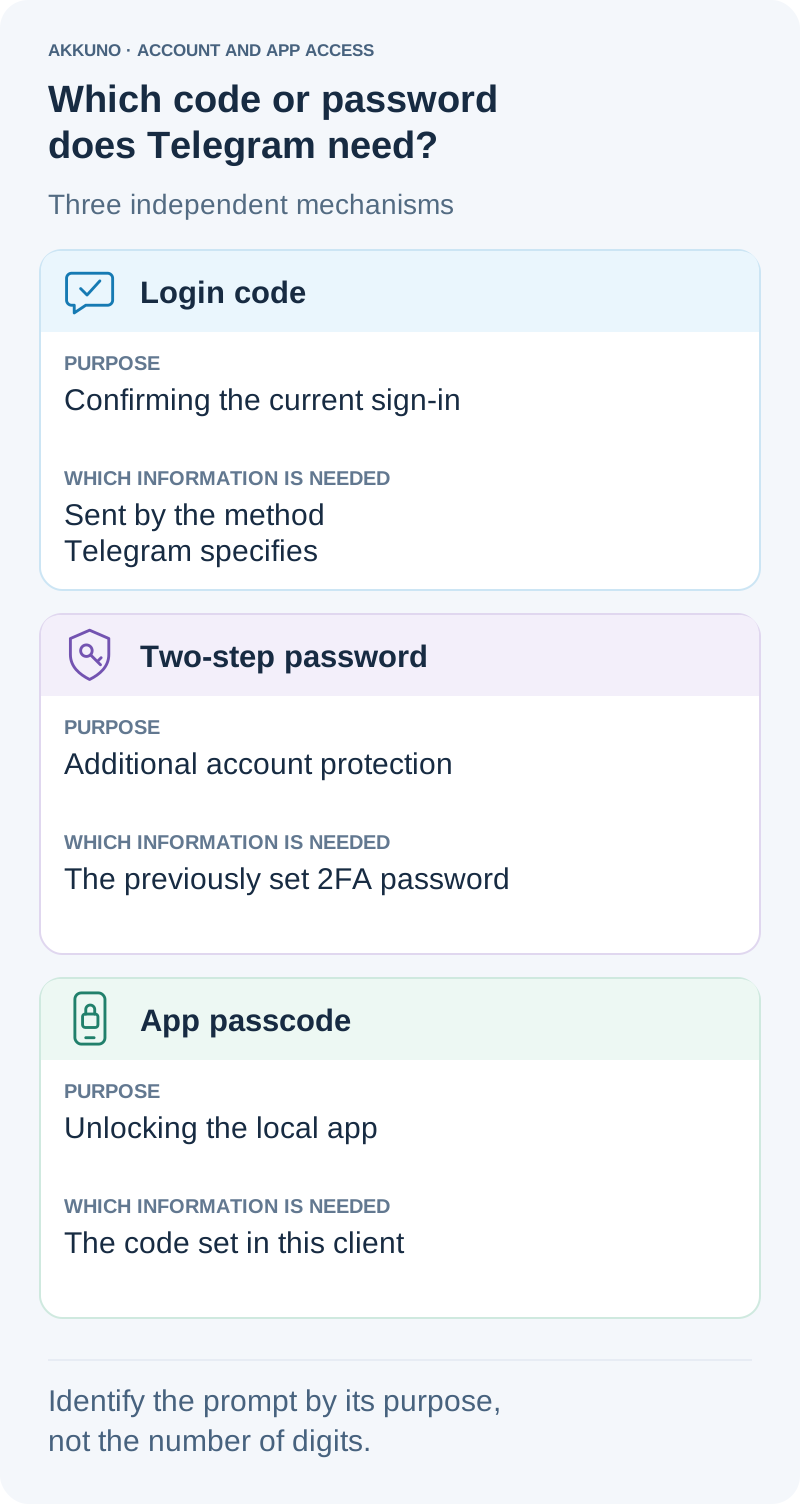
Use this table to distinguish the three mechanisms. It describes their purpose; wording and screen layouts can vary between Telegram clients.
| What Telegram asks for | What it does | Which details to look for |
|---|---|---|
| Login code | Confirms the current authorization attempt | The confirmation sent by the method Telegram specifies |
| Two-step password | Adds protection to a particular account | That account’s previously set 2FA password |
| App passcode | Unlocks the locally protected client | The code configured for this app |
Do not classify a prompt solely by the number of boxes or whether it shows a numeric keyboard. Confirmation formats depend on the sign-in method, while local lock options depend on the client. Read whether the app expects a newly delivered confirmation or a password that was set earlier.
The table is not a mandatory sequence of three screens. Telegram does not always send a code, then ask for a two-step password, then present an app lock. Each check has a separate purpose.
Login code: confirming the current sign-in
A login code confirms an attempt to access an account. You do not create it when filling in the field. Telegram tells you which delivery method it is using, so follow that explanation instead of assuming every code arrives by SMS.
If the app specifies delivery through Telegram, check the Telegram service chat in an accessible session of the correct account. An app being open on another device does not, by itself, establish that this delivery method was selected. The supported procedure for a supplied package is covered in the initial sign-in guide.
A login code does not become the account’s permanent password. An old confirmation message saved from an earlier attempt is not a replacement for the details required now. Conversely, if the current field expects a delivered code, the 2FA password included in an order does not serve that purpose.
For example, you begin adding a work profile and receive confirmation for that attempt. You enter it in the corresponding sign-in field. If a separate password prompt then appears, it asks for something different. Repeating the same code in that new field is not the next step.
Two-step password: additional account protection
Telegram’s two-step verification password is sometimes called a “cloud password,” particularly in Russian interfaces and account descriptions. A package may label it “2FA password.” It is a password previously set for that particular account, rather than a new value expected to arrive in a message every time it is requested.
It is also different from a changing code produced by an authenticator app. If a supplied value is identified as a Telegram 2FA password, do not paste it into a TOTP generator expecting to produce another code. The guide to 2FA details explains authenticator keys and passwords used by other services.
Telegram can request the two-step password during a new sign-in when this protection is enabled. You may see it after entering a verification code, but a password prompt without a preceding code screen is not necessarily a local app lock. Signing in with a passkey, for example, still requires an enabled two-step password.
An existing session does not prove that you know this password either. A client that is already authorized can remain usable without repeatedly asking for details needed during a new sign-in. Keep that distinction in mind before ending a working session just to test whether you can get back in.
App passcode: locking the local client
An app passcode restricts access to the Telegram app and its chat list on a device. A typical situation is that you have already been using Telegram, the app locks, and you now need to open it. You are not necessarily creating another account session at that point.
This passcode is configured in the client’s settings. A package’s 2FA password does not automatically become the lock code for Telegram on your phone or computer. Likewise, a local code you set cannot replace the account’s two-step password when you sign in separately on another device.
When one app contains several profiles, do not assume that each must have its own local passcode. This is a client setting; check its scope in the app you use. The two-step password belongs to a particular account, so credentials for one work profile do not become the password for a second profile.
The Telegram app passcode is also distinct from the PIN that unlocks the phone itself. They are separate settings. Even if a person chooses the same characters for both, that does not make the two checks interchangeable.
Why Face ID or a fingerprint does not identify the check
Biometric verification can open a locally locked Telegram app when the device supports it. A face scan or fingerprint can also authorize the use of a passkey to sign in to an account.
A familiar Face ID symbol therefore does not tell you which operation is taking place. Check whether you started a passkey sign-in or simply opened an app that was already set up. Using a passkey may bring up a system confirmation on the device. That does not mean the system is asking for the 2FA password supplied with an account.
A passkey does not remove an enabled two-step password. If Telegram asks for that password separately after confirming the key, use the details for the intended account. The device PIN is not a substitute in the account-password field.
Match the prompt to the correct account package
With several accounts, the problem may be selecting the wrong package rather than misunderstanding the password. For example, your computer has the customer-support profile open while you are adding a publishing profile on your phone. Similar names or avatars do not make them the same account.
Privately compare the number you are adding with the corresponding order. Then read the field label. A two-step password, email credentials and an archive link have different purposes. Do not select a value solely because its length seems to fit the screen.
If a 2FA password is included, look for it in the supplied details and instructions. There is no universal file name for every product. When choosing another option from the Telegram catalog, check the access details and limitations in that listing. An included password alone does not establish compatibility with every client or sign-in method.
When the required details are missing or unclear
Once you have identified the prompt, pause if you do not have the relevant details. Random combinations, an old login code or another profile’s password cannot fill in missing information.
Keep your existing access available. Deleting the app, clearing its data or logging out can make a fresh authorization necessary before you have established how it is supported. The Telegram security guide covers preserving access and handling sessions.
If a promised password is absent or the instructions do not explain the required field, contact AKKUNO support. Include the order number, client and version, the name of the prompt and the action that preceded it. Leave the actual code, password and session files out of your description of the problem.
If the account already works on a computer but the phone cannot complete a new sign-in, use the desktop-to-phone access guide. It considers package limitations and Telegram’s specific response after you have established which details the app is requesting.
Sources and verification
- Telegram FAQ: two-step verification, local app locking and login codes. Checked November 7, 2026.
- Telegram API: User Authorization, auth.sentCodeTypeApp and auth.sentCodeTypeSms. Checked November 7, 2026.
- Telegram API: Two-factor authentication and Passkey login. Checked November 7, 2026.
- Telegram Tips: Passcode Lock, post 88. Checked November 7, 2026.
- AKKUNO: package contents and guides to sign-in, security and 2FA details. Reviewed November 7, 2026.


