
If you lose access to Telegram, how you cancel Premium depends on where you subscribed. An App Store or Google Play subscription can be managed through the relevant store account even when the Telegram profile is unavailable. For @PremiumBot, Telegram’s documented cancellation method is inside the bot, so without profile access you will need to contact the payment provider or support.
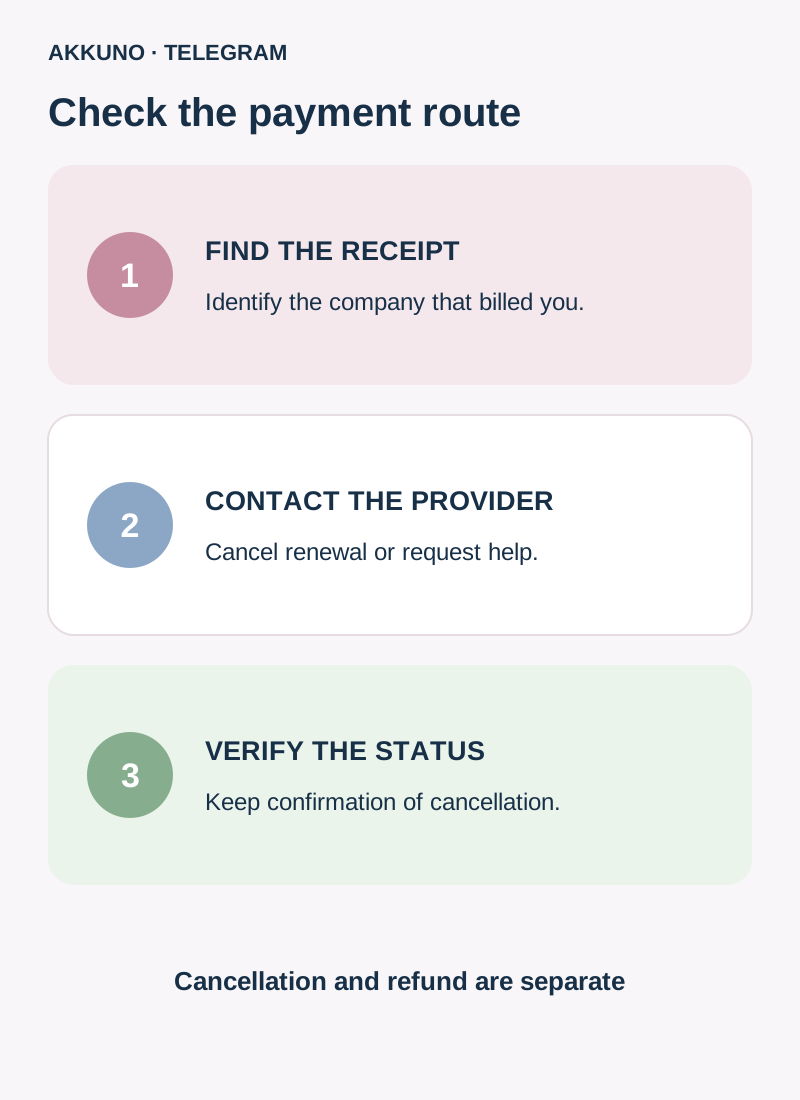
First find the receipt or charge. Removing the app does not cancel a subscription. Stopping future renewals and requesting a refund for a past payment are separate actions.
Identify who bills you
Check the purchase confirmation email, Apple or Google subscription history and card statement. If a receipt names a different Apple Account or Google account, that may be where the subscription is managed. The operating system on the device you currently use for Telegram does not itself prove the payment method.
| Subscription source | Where to cancel | Is Telegram access needed? |
|---|---|---|
| App Store | Subscriptions in the Apple Account on the receipt | Usually not for managing it through Apple |
| Google Play | Subscriptions in the Google account that purchased it | Usually not for managing it through Google Play |
| @PremiumBot | The bot or the named payment provider’s support | Telegram’s documented bot command requires access to the relevant profile |
| Another seller or unknown charge | The company on the receipt or statement, then the bank if needed | Depends on the provider’s terms |
If a family member or colleague bought it through their own payment account, ask that account holder to check the subscription. Do not request their password or verification code.
Cancel through the Apple App Store
- Sign in to the Apple Account named on the receipt. On an iPhone, open device Settings, tap your name and choose Subscriptions.
- Find Telegram Premium and open its details.
- Select cancellation and complete the confirmation if offered.
- Check the displayed status and expiry date; retain confirmation without publishing personal or payment details.
If the subscription is missing, Apple advises finding the receipt and checking which account was used. If it names a family member, that account holder must cancel. Without an Apple receipt, check the company on your statement: the subscription may have been purchased elsewhere. Screen labels can change.
Cancel through Google Play
- Sign in to the Google account used for the purchase.
- Open Google Play → profile → Payments and subscriptions → Subscriptions.
- Choose Telegram Premium, tap Cancel subscription and follow the instructions.
- Check the status and displayed end date. If it is missing, check other Google accounts you own and the receipt.
Google explicitly says uninstalling an app does not cancel its subscription. If you lost the Google account, use Google’s official account recovery or contact its support; do not give sign-in details to strangers.
If you paid through PremiumBot
When the Telegram profile is accessible, Telegram says to open the official @PremiumBot and send /stop, then follow the displayed actions and check the result. Make sure you use the intended profile and official bot, not an account with a similar name.
If the profile is unavailable, the official FAQ does not describe a universal cancellation command from another account. Check the receipt and ask the named payment provider or Telegram support what cancellation method is available. If you cannot identify the provider or stop the payment, contact your bank and ask about available actions and their effects on the subscription. Blocking a card or payment does not necessarily terminate a subscription; do not treat insufficient funds as confirmed cancellation.
If an account still has a working session, preserve it. If a code was sent to an unavailable device, see our separate guide.
What happens if the account is deleted?
Telegram distinguishes payment methods. Its Premium FAQ says deleting the Telegram account stops recurring payments made through @PremiumBot. App Store or Google Play charges may continue, so those subscriptions must be canceled with the relevant store.
Losing account access is not the same as deleting the account, and uninstalling the app is not account deletion. Do not delete a profile to cancel: data could be lost. Identify the provider first and use its procedure.
Cancellation is not the same as a refund
Cancellation is intended to stop future renewals once the provider confirms it. Telegram says Premium normally remains available until the end of the current paid period after cancellation. If the profile itself is inaccessible, that does not guarantee you can use the benefits.
A refund for an earlier payment is a separate request and depends on the provider, circumstances and applicable rules. Submit it to the relevant support team and check the response; do not assume Cancel automatically returns money. One subscription belongs to a specific Telegram account, as explained in our Premium and multiple accounts guide.
Verify renewal has stopped
Open the subscription details with the provider and check its status, end date and absence of a next renewal if the interface displays those details. Save confirmation and check your statement after the expected payment date. If a charge recurs, contact the provider and bank with its date and amount; do not send a full card number, CVV, login codes or passwords in messages.
AKKUNO support can help with questions about a particular store order through the support page. Apple, Google and PremiumBot subscriptions are managed with the corresponding provider.
Frequently asked questions
Can I cancel Apple or Google without Telegram? Yes, if you can access the payment account where the subscription was purchased.
Will uninstalling the app stop payments? No. Cancel with the provider and check the status.
Does deleting Telegram stop every subscription? No. Telegram says PremiumBot recurring payments stop when the account is deleted, but Apple or Google subscriptions need cancellation with the store.
Will cancellation refund me? Not automatically. A refund is a separate request to the relevant provider, with an outcome based on its rules and the circumstances.
Sources and verification
- Telegram Premium FAQ. Cancellation and account deletion. Checked November 10, 2026.
- Apple Support. Canceling a subscription and finding the billing account. Checked November 10, 2026.
- Google Play Help. Canceling a subscription. Checked November 10, 2026.


