
The country under Devices does not have to match your phone number's country or your physical location. Telegram determines a session's country and region from its IP address. Network geolocation errors, mobile routing or a VPN can explain a difference, but an unexpected country is a reason to check the rest of the login details too.
What the country beside a device means
An active session is a Telegram login on a particular device or app. Telegram's session data includes the app and device, creation and last activity times, the last known IP address, and the country and region derived from that IP.
An IP address identifies a connection, not a person's exact address. A provider may route traffic through an exchange in another region, and geolocation databases can be inaccurate or outdated. That is why your own device can sometimes appear under an unexpected city or country.
A phone calling code is a separate detail: it belongs to the number associated with the profile. A number from one country can be used while travelling or connecting through a network in another. Our guide to shared +1 and +7 codes explains why a prefix can cover more than one country.
Where to find active sessions
- Open Telegram and switch to the relevant account if you use several.
- Go to Settings → Devices. In some versions, the path is Privacy and Security → Active Sessions.
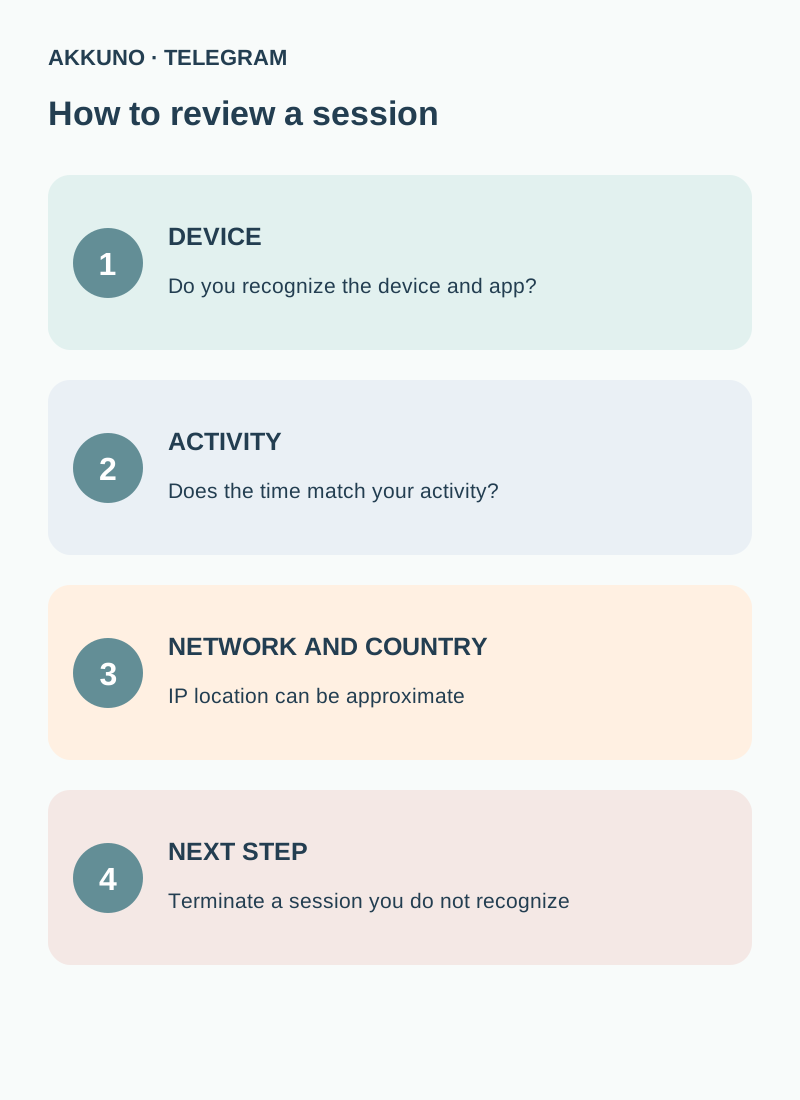
- Identify the current session and review the others. Open a suspicious entry to compare available device, app and activity details.
- Compare the information with Telegram's login alerts and your own activity. Names and menu positions can vary between app versions.
Authorizations for third-party websites and sessions in Telegram apps are separate records. Review both areas if you use Telegram to sign in to websites.
Why the location can differ
| Possible explanation | What to check |
|---|---|
| Mobile carrier or company network | Compare the login time and connection; a network gateway may be in another region |
| VPN or proxy | Check whether it was active when you used that device |
| Inaccurate IP geolocation | Compare other session details; IP-to-location databases are not always exact |
| Travel or a network change | Recall where and when you used the device |
| Someone else's login | An unfamiliar app, device or time deserves a separate check |
A different country alone does not prove a compromise. Equally, a familiar country does not prove a login is yours: another person could be in the same country. Consider the evidence together.
What to do with an unfamiliar device
If you cannot match an entry to your own device and activity, terminate the suspicious session under Devices. Check each trusted device if you use several; ending an old or unwanted session does not require deleting the account.
Telegram may temporarily restrict terminating other sessions from a newly connected device. If the app displays a restriction, use an earlier trusted session or follow its instructions. Do not log out of your only trusted session until you are confident you can sign in again.
Enable two-step verification in privacy and security settings, check access to your recovery email and protect the email account itself. Never share one-time codes, your cloud password or session files. If you cannot access the profile, use the official recovery options available to you; timing and outcomes depend on your details and Telegram's rules.
If you use several accounts
Check sessions in each profile separately. A device can be signed into several accounts, while the list you see belongs to the selected profile. Keep your own record of which devices you use and review recent activity after changing your work phone or computer. Do not put login codes or session files in a shared spreadsheet.
When considering an account in the Telegram catalog, review its delivery format and stated characteristics. A phone number's country does not guarantee the country of a connection's IP or access to the number itself. Ask AKKUNO support about the particular listing.
Frequently asked questions
Does a different country mean my account was hacked? No. One location alone is insufficient. Check the device, time, app and alerts, and terminate a session you do not recognize.
Why is the city different from mine? The region is inferred from the IP. Network routing and geolocation databases can produce an approximate result.
Can contacts see my device list? It is the management screen for your own sessions. Do not confuse it with information Telegram may show when someone outside a recipient's contacts sends a first message.
What if I cannot terminate a session? Read Telegram's message: a recently connected device may be temporarily restricted. Use an earlier trusted session if available.
Sources and verification
- Telegram. Authorization reference: IP, country and region. Reviewed 11 November 2026.
- Telegram. FAQ: devices and active sessions. Reviewed 11 November 2026.


