
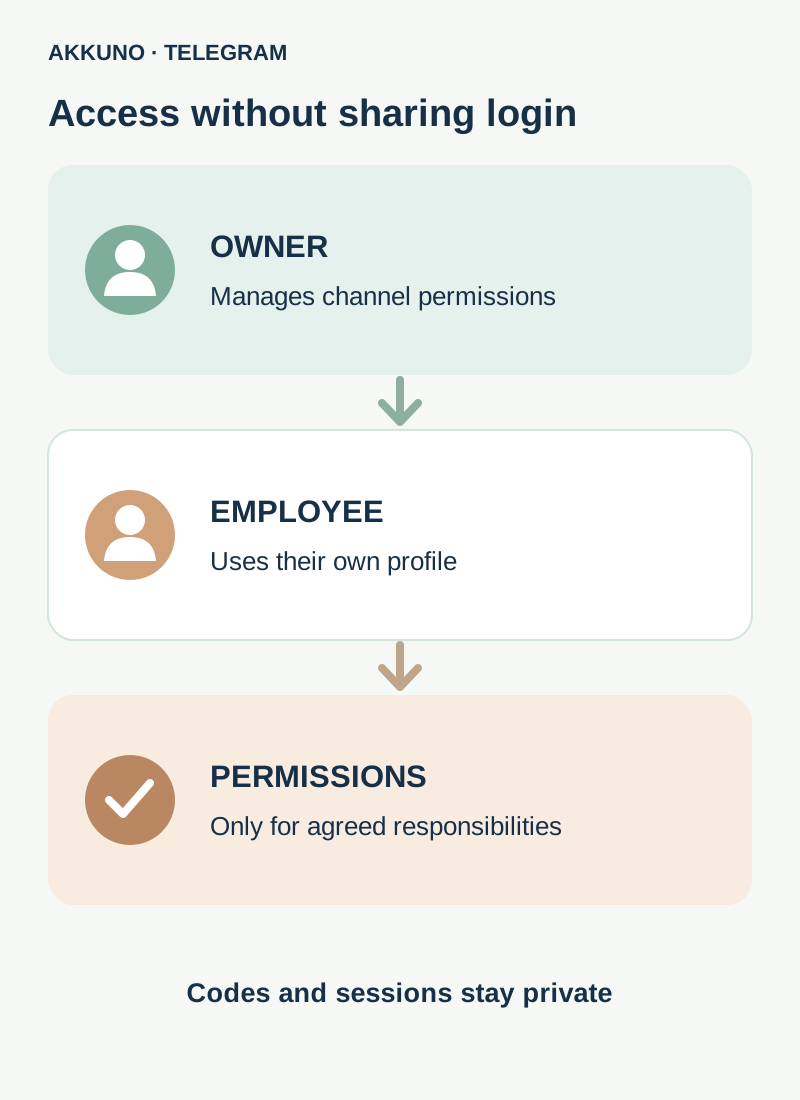
An employee usually does not need the owner’s Telegram account or session to publish in a channel. Add the employee’s own profile as a channel administrator and enable only the permissions required for the job. Appointing an administrator does not itself transfer ownership.
Agree on the task first: for example, publishing approved posts or editing material already sent. That determines the permissions. “Editor” and “moderator” below describe work responsibilities, not guaranteed preset roles in Telegram’s interface.
Owner, administrator and permissions
The owner manages the channel and can appoint administrators. Telegram lets you configure each administrator’s rights individually. Another administrator with the relevant permission may also appoint admins within their own available rights; if the control is missing, ask the owner.
Select permissions for the task rather than the job title. Switch names, grouping and availability depend on the client and channel type.
| Task | Starting point | Do not grant automatically |
|---|---|---|
| Publish approved posts | Permission to post messages | Appointing administrators or changing channel information |
| Correct colleagues’ posts | Editing others’ messages, if required | Deleting others’ messages or managing administrators |
| Remove mistaken posts | Delete permission when specifically agreed | Channel changes and granting rights to others |
| Moderate discussion | Check separate permissions in the linked discussion group | Full channel settings access |
These are examples to discuss, not universal presets. Read each actual permission in Telegram and agree on a safe test. Even administrator status with few switches enabled may provide access to some information, such as a log or statistics; do not promise complete isolation without checking.
Add an employee as an administrator
- Confirm you can appoint administrators and verify the employee’s exact profile with them. A similar name or picture is not proof of identity.
- Open the channel and select its name. On a phone, find the channel edit control; on a computer, find channel management. The location may differ.
- Open Administrators and choose Add Administrator.
- Find the agreed profile. If it cannot be selected, check channel access, privacy settings and the app’s instructions; invite the person first if needed.
- Review the proposed permissions carefully, switch off those not needed and save. Do not enable appointing other administrators merely because the employee will publish posts.
- Reopen the administrator list to confirm the resulting permissions and agree on one safe test, such as an approved test post in an appropriate channel.
The employee uses their own Telegram profile. They do not need the owner’s login code, cloud password, QR code or session files. Our guide to codes and passwords explains the differences.
What to check in the permissions
Posting, editing and deleting are separate powers. Someone publishing approved posts does not automatically need to change or remove colleagues’ messages. Agree separately if correcting them is part of the job. Deleting a channel message affects subscribers, so set an internal process for such actions.
Changing channel information and appointing administrators are sensitive permissions. They can affect settings or team access. Grant them only when needed and review them regularly.
Stories and invitations can have separate controls. If an employee handles stories or subscriber access, check the relevant options and limits in your app. Do not assume ordinary posting permission covers every action.
Comments belong to a linked discussion group. Channel and group permissions can differ. If the employee must remove spam from comments, check their status and necessary permissions in the group itself, not only the channel.
Check the work and review changes
After appointment, ask the employee to confirm that their own profile can access the correct channel. Agree on a safe test and review the result. Do not request screenshots containing login codes or other sign-in data.
Channel management may include Recent Actions. Telegram describes a log of notable administrator actions from the last 48 hours; events and interface depend on the client. It is useful for review but is not a permanent archive. Separately record who received which rights, why and for how long, without keeping passwords in a shared spreadsheet.
Post signatures are a separate channel setting. When enabled, subscribers may see the administrator’s name under a post; check the current appearance before adopting the workflow.
Revoke access when work ends
Open channel administrators, select the employee’s profile and change or remove its administrator permissions if you have authority to do so. Then check for separate access to the linked discussion group and other related resources. Removing an administrator should not be assumed to remove that person everywhere else automatically.
Review relevant invitations and other access under your internal process. If you suspect another person signed in to the owner’s account, separately inspect active devices and security settings. Our guide to ending sessions on a new device explains a possible temporary restriction.
Frequently asked questions
Must we buy a new account for every employee? No. You can appoint the person’s suitable existing profile if Telegram lets you add it and it fits your working rules. If a separate profile is actually needed, compare characteristics in the Telegram catalog and ask AKKUNO support about a specific delivery.
Does an administrator become the owner? No. Appointment and ownership transfer are separate actions. Do not start a transfer when you only need to delegate work.
Are channel rights enough to moderate comments? Not always. Discussions use a separate linked group; check permissions there.
Is channel recovery guaranteed if the owner is lost? No. Maintain access to the owner’s profile and review trusted administrators in advance; if there is a problem, follow Telegram’s available support channels.
Sources and verification
- Telegram Channels FAQ. Administrators and permissions. Checked November 10, 2026.
- Telegram API. chatAdminRights permissions. Checked November 10, 2026.
- Telegram Translations. Recent administrator actions. Checked November 10, 2026.


