
You can use several separate Telegram accounts on one phone and switch between them without signing out each time. Each account needs its own number. The relevant limit is the number of profiles simultaneously added to a particular app.
In the reviewed source code of the official Telegram Android client, the default is three accounts, or up to four when one of the added accounts has Premium. Telegram also describes connecting four accounts with different numbers on iPhone. Features and menus can change after an update, so check what your own client offers. This is not a claim about the total number of accounts a person may own.
Account, phone and session: what is the difference?
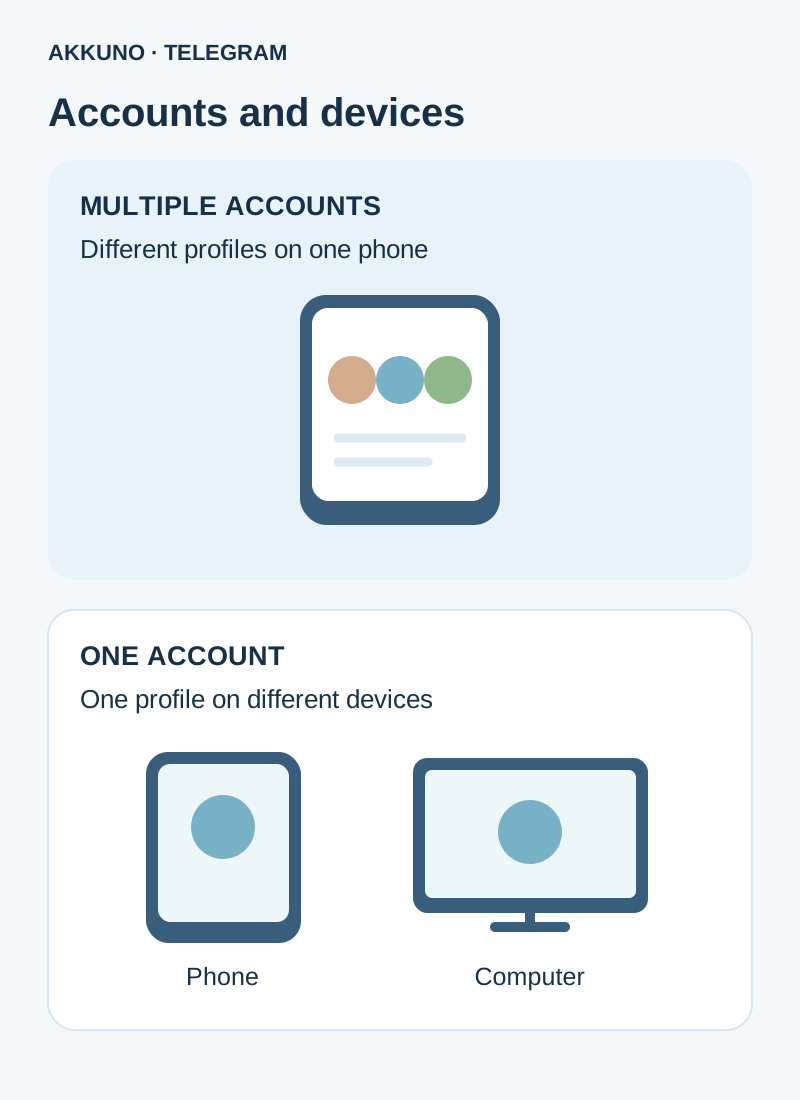
An account is a separate profile with its own chats, settings and linked number. A phone is a device that runs the app. A session is a particular account’s sign-in to an app on a device. You can use one account on several devices, and you can add several accounts to one mobile app while it has room.
| Situation | What it means |
|---|---|
| Two numbers and two profiles in the app | Two separate accounts on one phone |
| One number on a phone and a computer | One account with multiple sessions |
| Work and personal chat folders | Sections within one account, not new profiles |
The same number does not create two independent accounts. Signing in with an already registered number opens the corresponding profile rather than creating another one. Each account does not need its own physical SIM in the phone, but control of the number and the verification method Telegram offers matters for sign-in and future recovery.
How many profiles are available with and without Premium?
In the reviewed Android code, the standard limit is three accounts in the app. If at least one added account has Premium, the code allows a fourth slot. This is an app capacity rule, not a subscription for every profile. Telegram says Premium belongs to an individual account and works on that account’s devices; its other Premium benefits do not transfer to the other accounts.
On iPhone, follow the account-adding screen and the terms displayed by your app: Telegram publishes a Premium string describing four accounts with different numbers, but versions and interfaces may differ. We have not tested every iOS release. Our guide to Telegram Premium across accounts explains subscription scope.
If no slot is available, first decide which profile you actually need on that device. Do not sign out of a working session at random: signing in again may require the number, a code and the cloud password, and recovery is not guaranteed.
How to add an account on Android or iPhone
- Make sure you are authorized to use the account and have the information needed to sign in. Keep any existing working session available.
- On Android, open the Telegram menu and the profile list beside your name. On iPhone, open Settings and the account list near the top. Labels and locations depend on the version.
- Choose Add Account, enter the other profile’s number and follow Telegram’s instructions.
- Complete the verification offered. A code may arrive in an already signed-in Telegram app on another device; other options may also be offered. Do not assume SMS will always be available.
- If two-step verification is enabled, enter the cloud password. Once signed in, check the name and photo of the active profile.
If the code went to a session you cannot access, see our guide to an unavailable device. A login code, cloud password and local app passcode have different purposes; this guide explains each one.
Switching profiles and managing notifications
Open the account list in the Android menu or iPhone Settings and select the profile you need. Normal switching does not require entering the number again. Before replying to a customer, check the active account’s name and photo: identical names and pictures are easy to confuse. Give profiles recognizable names and images if appropriate for your work.
Review notifications for each account and the phone’s own settings: messages may arrive from several profiles even while another is selected. On a shared device, protect both Telegram and the phone. Do not share login codes, passwords or session files.
What if Add Account is missing?
First check how many profiles are already connected and whether the official client is up to date. If its limit is reached, it may not offer another slot. Review Premium terms in your own client; do not assume a subscription will solve every sign-in issue.
Before signing out of an unused profile, make sure you can sign in again. Ordinary cloud chats remain in the account, but Telegram warns that secret chats and their messages are lost when you log out. If you need a separate work profile, review the characteristics in the Telegram catalog; for questions about a particular delivery, contact AKKUNO support.
Frequently asked questions
Can I add two accounts for free? Yes. Official clients support multiple accounts without Premium; the reviewed Android code sets the default limit at three.
Does every account need Premium for the fourth slot? In the reviewed Android code, one connected Premium account is enough for the higher limit. Other Premium features still belong only to the subscribed account.
Can others see that I have several accounts on my phone? Switching alone does not merge the profiles. Privacy settings, contact syncing, matching names or photos may still reveal a connection; check each profile separately.
Can I simply remove the app and sign in again? That is risky if access to the number or cloud password is uncertain. Check your sign-in options first and account for the loss of secret chats.
Sources and verification
- Telegram FAQ. Accounts, sessions and secret chats. Checked November 10, 2026.
- Telegram Premium FAQ. Subscriptions and multiple accounts. Checked November 10, 2026.
- Telegram for Android. UserConfig source code. Checked November 10, 2026.
- Telegram Translations. iOS account limit. Checked November 10, 2026.


