
When Telegram says “Too many attempts, please try again later” during sign-in, the app is not allowing you to continue that step right now. Stop repeated requests, keep any working sessions open and follow the displayed waiting time if there is one. The screen text alone does not reliably establish the exact error code or duration.
If you see the specific API error FLOOD_WAIT_X, Telegram defines X as the number of seconds to wait before repeating the action. That is more specific information than a general “try again later” message.
Identify what the screen says
| Message | What is known | What it does not automatically establish |
|---|---|---|
| “Too many attempts” without a duration | The current step cannot continue and the app asks you to wait | The exact API code or a universal 24-hour wait |
| A timer in the app | The app displays a duration for the current situation | That every other restriction expires at the same time |
| FLOOD_WAIT_X in a technical error | Telegram’s API specifies X seconds for the relevant action | That every sign-in error is FLOOD_WAIT |
| A number-banned message | A separate error and its context need checking | That it is the same situation as waiting after frequent attempts |
Telegram’s API describes FLOOD as exceeding the allowed calls to a particular method with particular parameters. For example, it can occur after many code requests. A user-facing screen does not always expose the internal error, so do not invent its name if it is not shown.
What to do first
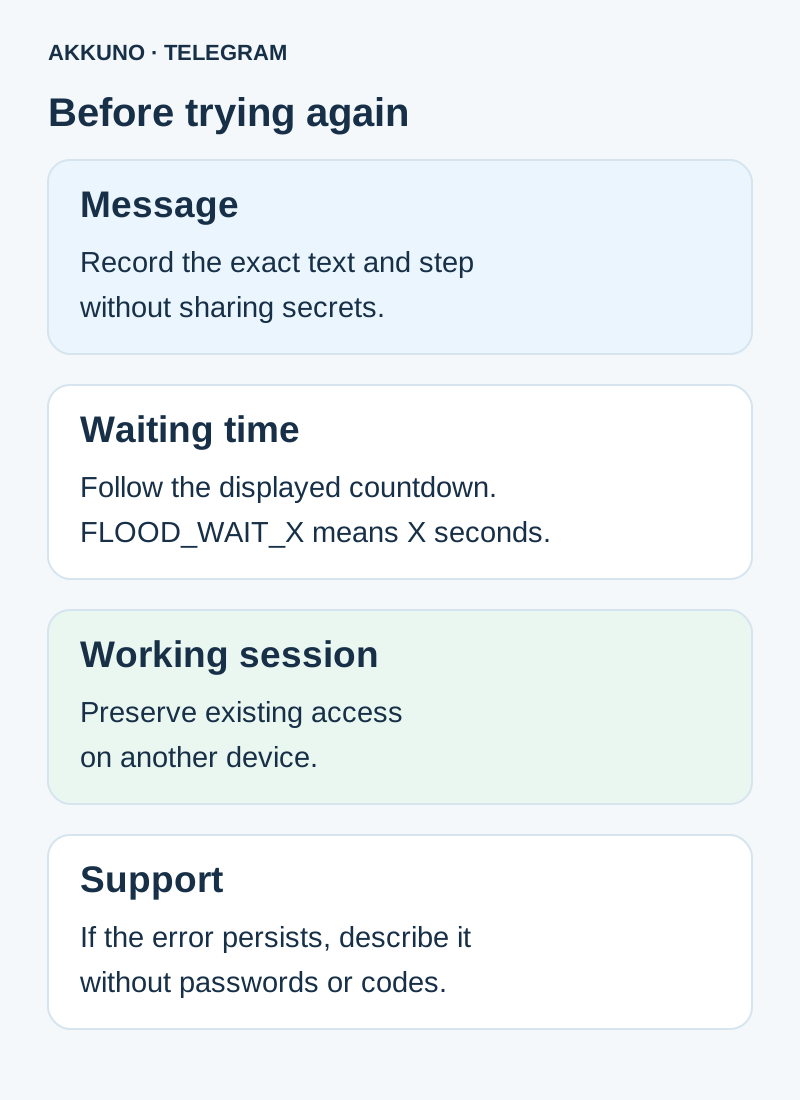
- Stop repeatedly requesting codes or trying to sign in on several devices at once.
- Note the exact message, sign-in step, time and any displayed countdown. Do not put codes, passwords or session files in a shared note.
- If the account works on another device, keep that session open. Do not delete the app or end all sessions as a test.
- Wait for the time shown by the app. Then make one ordinary attempt and read the new response carefully.
- If the message returns, record the new text and displayed time. Contact support if the issue persists, without sharing secrets.
There is no basis to promise that changing networks, reinstalling the app or buying another account will remove the restriction. Repeated attempts just to look for technical details are not necessary either.
Understanding FLOOD_WAIT_X
In a technical error, X is a number of seconds. For example, FLOOD_WAIT_600 means waiting 600 seconds, or 10 minutes, before repeating the relevant action. Use the value in your actual error and the client’s instructions, not the example in this guide.
This does not establish that every delay is FLOOD_WAIT or that the account will face no other checks after the countdown. Telegram also documents a separate FLOOD_PREMIUM_WAIT_X type with different conditions; do not infer that Premium removes an ordinary FLOOD_WAIT.
What if no time is shown?
Record when you saw the message, stop repeated requests and preserve working access. Telegram describes limits on attempts, but its general error reference does not specify one duration for every client message. A promise that “everything will work in exactly 24 hours” is therefore unreliable.
If the issue persists, contact Telegram through its official login-problem channel. Include the device, operating system, app version, approximate time, step and error text. If you purchased the account from AKKUNO, also review the order terms and contact store support with your order number and a redacted description. Do not share login codes, the cloud password or session files.
Do not confuse different restrictions
Waiting when requesting a code, a number-banned message and a restriction on ending other sessions are different situations. Telegram’s API lists, for example, PHONE_NUMBER_FLOOD for too many code requests and PHONE_NUMBER_BANNED for a banned number. Similar client text does not by itself prove either code.
If a code was sent to an unavailable session, read the separate guide. If a new session cannot end other sessions, see that restriction explained. There is also a phone sign-in guide for an account already working on a computer.
Keeping track of multiple accounts
Record the profile, device, time and step where the message appeared. Do not store passwords, codes or session files alongside that record. With several profiles, check which account is open so you do not repeat an action in the wrong place.
Check the particular product’s conditions and sign-in methods in the Telegram catalog. A waiting restriction alone does not mean an account must be replaced or a new one purchased.
Frequently asked questions
How long should I wait? Follow the time shown by the app or specific error. Without a duration, do not assume a universal number of hours; contact support if the issue persists.
Does FLOOD_WAIT_600 mean hours? No. Telegram documents the number in seconds: 600 seconds is 10 minutes.
Does this definitely mean a ban? No. A frequent-attempt message and a number ban are different pieces of information; general text does not establish the exact cause.
Should I sign out of a working session? You do not need to sign out to wait. Preserve your existing access while you investigate.
Sources and verification
- Telegram API. FLOOD restrictions and waiting time. Checked 7 November 2026.
- Telegram API. Sign-in code request errors. Checked 7 November 2026.
- Telegram FAQ. Contacting support for sign-in problems. Checked 7 November 2026.


