
If the phone number associated with Telegram is unavailable but the account is still open on your device, preserve that session and first identify what you lost: the phone, SIM card, ability to receive messages or authority to control the number itself. A working session lets you use the account now, but it does not guarantee sign-in after logging out or deleting the app.
Do not end every session, reinstall the app or change the number at random. Check your access conditions and understand the consequences before making changes.
What a working session means
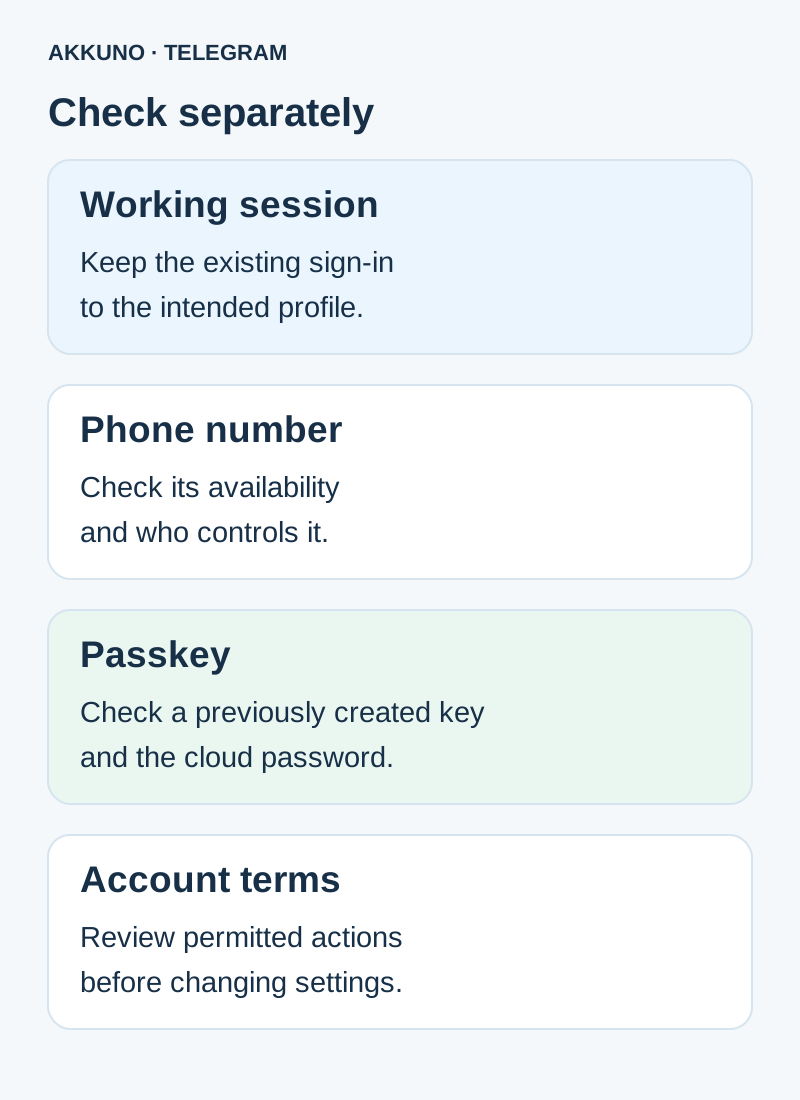
A session is an existing sign-in to an account on a particular client. If the app opens, check in settings that you selected the intended profile, especially if you use several accounts. Record the device and app version for yourself without passwords or session files.
Access to a session and control of the number are different things. A number may appear in the profile without giving you the ability to receive messages or manage it with the carrier. Telegram recommends keeping an up-to-date number you control because it may be needed for future sign-in.
Do not treat the unavailable number itself as proof of a compromise. If you lost a device or see an unfamiliar session, assess that situation separately and follow the available security settings.
First steps to preserve access
- Keep the working sign-in. Do not log out or delete the app as a test. Telegram’s FAQ says logging out removes Secret Chats on that device.
- Establish the number’s status. Is it temporarily unable to receive messages, is the SIM lost, or do you lack authority to manage the number? If it belongs to you, contact your carrier and ask about available recovery options.
- Review access details. Establish whether a two-step verification cloud password is configured and whether its recovery method is accessible. Do not repeatedly guess passwords.
- Review devices. Check active sessions in Telegram settings. Do not terminate them all before deciding which access you are keeping. If a session is unfamiliar, act according to the circumstances and app prompts.
- Review account terms. If the profile came with an order or is used by an organization, check permitted actions before changing the number, client or security settings.
The cloud password, login code and local app lock are different things. Their roles are explained in a separate guide.
Options that may be available
| Situation | What to check | What cannot be promised |
|---|---|---|
| The number belongs to you but the SIM is unavailable | Whether the carrier can restore your control | That a code will arrive through a chosen method |
| A working session is available | Device, profile, settings and access terms | That the session will remain valid forever |
| A passkey was created earlier | Key availability in the manager and client support | That it replaces an enabled cloud password |
| You are considering a number change | Authority to change settings, control of the new number and Telegram’s warnings | That the operation is immediately available or fits your package |
If Telegram offers a code in a working session for your sign-in, use it only in your own sign-in window. Other methods depend on the particular client and attempt. Our guide to a code sent to an unavailable device covers having no accessible session.
Can a passkey help?
Telegram supports a passkey as an additional sign-in method. It is created in advance while the account is accessible and stored on a device or in a supported manager. If a key was already configured and you can access it, check its use in the intended client. If two-step verification is enabled, the cloud password is still required.
A key does not restore control over the phone number or guarantee a future sign-in. Sync and recovery of the key depend on the manager and its settings. Do not sign out of your only session for an experiment; see our passkey guide.
When to consider changing the number
Telegram provides a way to change the number within an account. Its FAQ describes retaining contacts, cloud messages and other data during the normal number-change process. Availability, verification, client restrictions and consequences depend on the specific situation.
Before changing anything, establish that you are authorized to manage account settings, control the new number and have read Telegram’s warnings. If the new number is already linked to another profile, do not delete it at random: first understand the consequences. For an AKKUNO product, check the listing and order terms; a session or file does not itself establish that a number change is permitted.
If the old number belongs to you, first ask the carrier whether you can restore control. If you lack authority over it or the terms are unclear, do not assume the carrier or seller can supply a code.
How to get help
For an AKKUNO account, compare the package and sign-in method with its listing in the Telegram catalog, then contact store support if needed. Provide the order number, device, client and problem description. For questions about Telegram itself, use its official support channel.
Do not send login codes, cloud passwords, passkeys or session files. Redact private messages and sensitive information from screenshots. Support can clarify the conditions, but recovery timing and outcome cannot be guaranteed in advance.
Frequently asked questions
Can I keep using the account without the number? A working session may continue, but it does not guarantee future sign-in. Check access and terms without logging out.
Does a session prove the number is mine? No. A displayed number and authority to manage it with a carrier are different things.
Does a passkey replace the cloud password? No. If two-step verification is enabled, Telegram says the password remains required with a passkey.
Must I change the number immediately? First check your authority, number control and the particular account terms. Do not make irreversible changes based on assumptions.
Sources and verification
- Telegram FAQ. Phone numbers, sessions and security. Checked 7 November 2026.
- Telegram API. Verifying a new number. Checked 7 November 2026.
- Telegram API. Passkeys and two-step verification. Checked 7 November 2026.


