
Transferring ownership of a Telegram channel or group changes more than a list of permissions: another account gains control of the community. If an employee only needs to publish posts or moderate discussion, administrator rights are usually sufficient. Appointing an administrator and transferring ownership are separate actions.
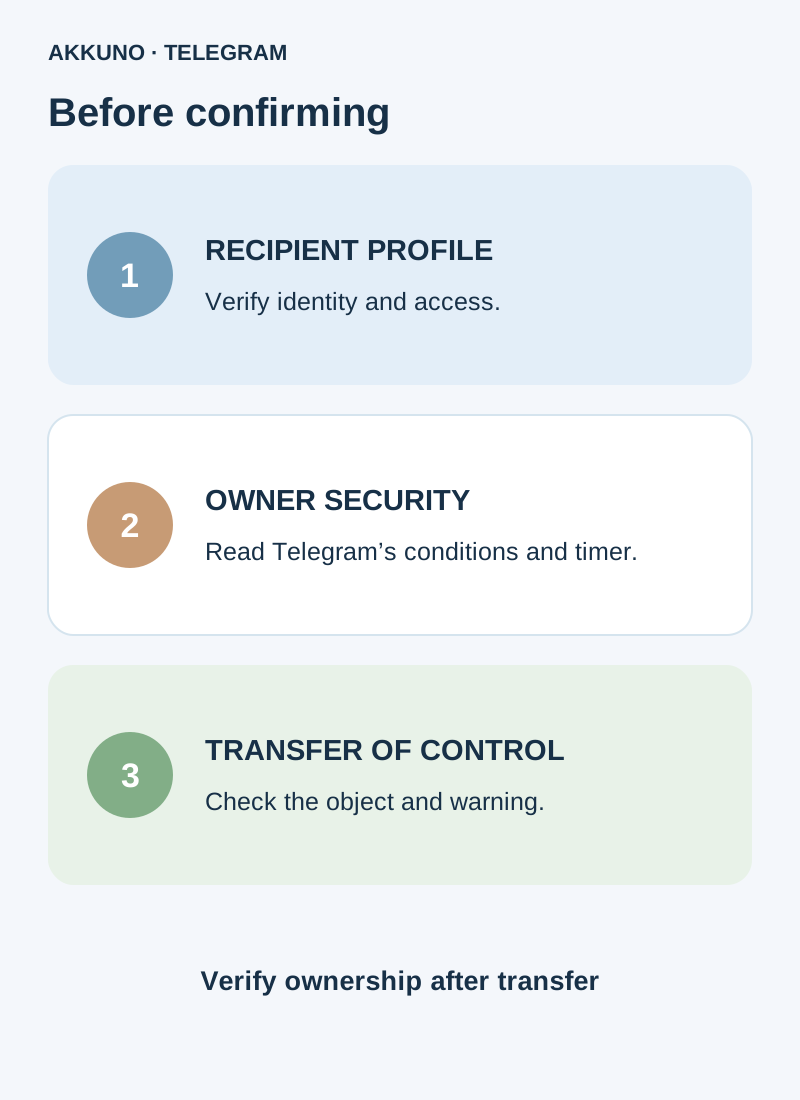
Before a transfer, verify the recipient, the current owner’s security requirements and Telegram’s warning on the confirmation screen. Do not delete the account or leave the channel merely to change owners: leaving can have its own consequences shown by the app.
What to check before transferring
- The recipient. Verify the future owner’s exact profile through an independently agreed channel. A similar name and photo do not prove identity.
- What is being transferred. A channel and its linked discussion group are separate objects. Check ownership and agreements for each; do not assume all related resources transfer automatically.
- The owner’s access. The current owner needs a working session and access to the two-step verification cloud password. Do not give the recipient that password, login codes or session files.
- Consequences. The new owner gains control and can change the former owner’s permissions. After a successful transfer there is no guaranteed automatic undo: getting ownership back depends on the new owner and Telegram’s available checks.
- The recipient’s access. Confirm Telegram lets you add the intended profile and that the recipient controls it. Possessing an account or data package does not guarantee eligibility to receive ownership.
If you only need help with publishing, use our administrator permissions guide. It explains how to delegate tasks without changing the owner.
Which security conditions does Telegram check?
Telegram’s official iOS and macOS text describes three conditions for confirming a transfer: two-step verification has been enabled for more than seven days, its password has not changed in the last seven days, and the current device has been signed in for more than 24 hours. These refer to the profile confirming the transfer. The exact message and available actions may differ by client and as Telegram changes.
These are distinct checks. Seven days since enabling protection is not the age of the account; a recent cloud-password change can be a separate reason to wait. The age of a particular device session is not the age of the profile either. If the app shows a timer or another reason, follow it and wait until the action is allowed.
A cloud password is not the code in a message or the local app-lock passcode. Our separate guide explains the difference. Do not change the password or end a working session merely to experiment: that can complicate the checks or your access.
Transfer ownership
- Open the correct channel or group from the current owner’s profile and verify its name and members. Make sure it is the intended object.
- Open its information page, then management and the administrator list. The controls differ between phone and computer.
- Select the agreed future owner’s profile or add it as an administrator. The app may require certain administrator rights before showing the transfer control. Grant expanded rights only after verifying identity and intent: they take effect before the final transfer.
- Find Transfer Channel Ownership or Transfer Group Ownership if available. If it is missing, check the owner status, selected profile and requirements shown by the client.
- Read Telegram’s warning. Continue only if you intend to give control to that exact account. Enter the cloud password in the official app if requested; do not disclose it to the other party.
- After a success message, open the member or administrator list and check the owner label. Ask the recipient to confirm the status independently from their own profile. Check the linked group and other resources separately when relevant.
Labels vary by app version. Do not perform a real transfer solely to test an instruction.
If the control is missing or Telegram asks you to wait
| Situation | What to check |
|---|---|
| No transfer action | Current owner’s profile, correct channel or group, suitable administrator and the client’s requirements |
| Telegram asks you to wait | Its message about two-step protection, recent password changes and the current session’s age |
| Recipient cannot be found | Exact profile, channel access and privacy settings; an agreed invitation if needed |
| Password is rejected | Whether it is the cloud password; avoid repeated guesses and use available official recovery options |
| Owner is unavailable | Preserve known working sessions and contact Telegram support; recovery is not guaranteed |
Do not delete the channel or group to fix an error. Do not start an account reset without understanding the consequences: it can cause data loss. If a login code goes to an unavailable device, first read our guide to that situation.
What to check after ownership changes
The new owner should see their status in the correct channel or group and have the necessary settings access. The former owner should check their remaining status and agree on future permissions. Do not assume old access will remain indefinitely: the new owner can change it.
Separately review the discussion group, invitations, bots, connected services and other project resources. Each can have its own owner or settings; transferring one object does not prove the others transferred. Agree on content and future work before pressing the button.
If a project needs a separate work profile, compare characteristics in the Telegram catalog. For a specific delivery, contact AKKUNO support without sending codes, cloud passwords or session files.
Frequently asked questions
Can ownership be transferred without a cloud password? The method described by Telegram requires a configured two-step verification password for confirmation. Follow the app’s requirements.
I enabled protection yesterday. Can I transfer today? The official iOS/macOS text specifies more than seven days since enabling it and a separate condition about password changes. Check your client’s message and wait for the indicated period.
Will the channel automatically return if I change my mind? Do not rely on automatic reversal after a successful transfer. A transfer back depends on the new owner and Telegram’s conditions.
Can I just leave the group instead? Do not use leaving as a substitute for the transfer procedure. Telegram may show owner-related consequences that depend on the community type; read the screen carefully before acting.
Sources and verification
- Telegram API. Transferring group or channel ownership. Checked November 10, 2026.
- Telegram Translations. Ownership transfer security requirements for iOS and macOS. Checked November 10, 2026.


