
When a team manages several work Telegram accounts, it helps to know what each profile is for, who is responsible and when its status was last checked. A simple inventory can provide that view. A shared spreadsheet should not become a store for passwords, login codes or session files.
The inventory answers operational questions. Keep access secrets separately in a protected store designed for secrets, with limited permissions and a clear recovery procedure. Even a list of work profiles can be sensitive: share it only with people who need it for their jobs.
Which fields should an inventory contain?
Start with a minimal set. Add a column only when you know who needs it and why.
| Field | What to record | Why |
|---|---|---|
| Internal ID | For example, TG-001 | Distinguish records without publishing login data |
| Purpose | Project A support | Understand the profile’s work |
| Responsible person | A role or employee in your team’s chosen format | Know who checks and updates the record |
| Confirmed format | For example, mobile client or Desktop | Describe the workflow without attaching session files |
| Last check | Date and short result | See how current the record is |
| Recovery | “Checked”, “needs review” or “unknown”, with a date | Plan a review without exposing methods or secrets |
| Next action | For example, “review access in December” | Assign a concrete task |
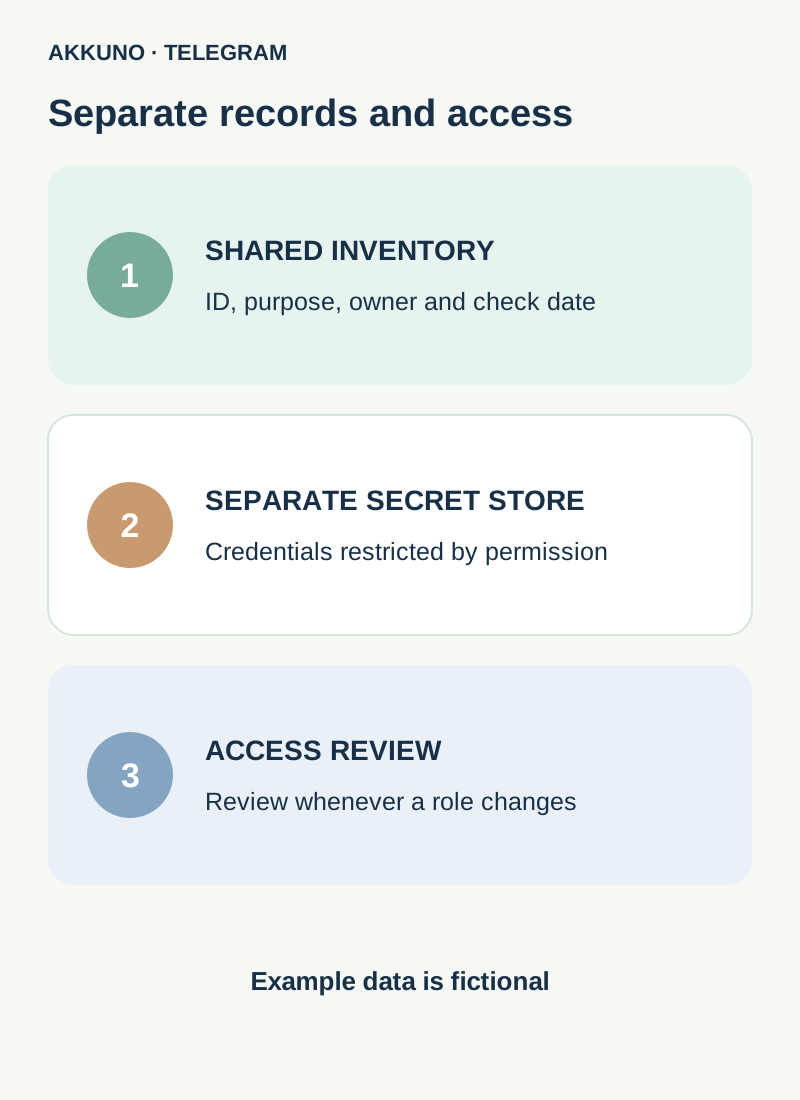
“Checked” does not guarantee recovery will work later. Record what was checked and when without exposing codes, recovery addresses or instructions containing secrets.
Example for a small team
Every value below is fictional. It demonstrates the structure, not real account data.
| ID | Purpose | Responsible | Format | Checked | Next action |
|---|---|---|---|---|---|
| TG-001 | Project A support | Support team | Mobile client | Nov 10, 2026: available | Review next month |
| TG-002 | Project B publishing | Editor | Desktop | Nov 8, 2026: available | Review channel permissions |
| TG-003 | Backup work profile | Manager | Unconfirmed | Nov 1, 2026: review needed | Confirm format and owner |
Do not add a full phone number merely because a column is available. If the team needs to distinguish profiles, start with an internal ID. Decide which details are necessary and who can see them for the actual task.
What should stay out of a shared spreadsheet?
Do not record login codes, cloud passwords, app-lock passcodes, email passwords or recovery codes. Do not attach session files, cookies, delivery archives or links that open access to them. Do not publish login QR codes or copy sensitive data into comments, edit history or shared chats.
A password and a login code have different roles; an active session file can also grant account access. Our guide to codes and passwords explains the distinction. Restricting access to the spreadsheet matters, but it does not make it a suitable secrets store.
For credentials you need, use a separate store designed for secrets, with individual access and protection for its primary account. Before choosing a tool, check how rights are granted and revoked, who can view data and how access is recovered. Losing the primary access to the store can make recovery difficult; agree on a procedure in advance with responsible people.
Keep the records current
- Assign a person or role responsible for the inventory and for reviewing access to it.
- When adding a profile, create an internal ID and record its purpose and responsible person. Confirm the format against the actual workflow, not only the delivery label.
- After an agreed check, update the date and result. Do not put a code, password or delivery link in a comment.
- If access or recovery is unverified, mark it unknown and assign a follow-up. Do not present an assumption as a confirmed status.
- When an employee changes roles, hand over responsibility, review channel and group permissions, and separately handle sessions and other access under your approved process. Deleting a row does not revoke Telegram rights.
- Periodically remove outdated or unnecessary information under team rules and review who can open the document.
If an employee needs to run a channel, appointing their own profile as an administrator with the required permissions is often preferable to sharing a login. Our channel access guide explains the process.
Separate format from availability
A delivery format or app name does not prove that a particular profile is currently open or recoverable. Distinguish “format stated”, “working session checked” and “recovery conditions checked”, each with its check date and without secret details.
Do not end the only working session for a test. If a check identifies a problem, preserve available sessions and record the next step without publishing sensitive data. If a code is sent to an unavailable device, see the relevant guide.
When does a team need a separate work profile?
Sometimes a project needs a distinct profile; sometimes administrator rights in an existing channel are enough. Define the task and owner first. If you choose another account, compare formats and characteristics in the Telegram catalog; ask AKKUNO support about the contents of a particular delivery. Do not send support codes, passwords or session files.
Frequently asked questions
Can we use an ordinary shared spreadsheet? Yes, for minimal operational information with restricted access. Do not use it as a password or session store.
Is a “recovery available” label enough? No. Without a date and the meaning of the check, it becomes stale and does not guarantee success. Record a safe status and date; keep secrets separately.
Does every employee need to know every account? No. Share only the information and permissions required for their tasks and review them when roles change.
Does deleting a row revoke an employee’s access? No. Telegram permissions, devices and access to other systems must be reviewed and revoked separately.
Sources and verification
- Telegram FAQ. Accounts, sessions and two-step verification. Checked November 10, 2026.
- CISA. Secure Cloud Business Applications: password management and recovery. Checked November 10, 2026.


